
Appearance
How to speed up your site with one click
How to speed up your site with one click
Site speed plays a critical role in both user experience and search engine performance. A faster store helps reduce bounce rates, improves engagement, and increases the likelihood of conversions.
This guide explains the basics of site speed and shows how you can safely speed up your Shopify store using SEOWILL’s One-Click Speed Optimization.
1. Page Speed vs Site Speed
Before optimizing, it’s important to understand the difference between page speed and site speed.
- Page Speed
Refers to how fast a single page loads for a visitor. - Site Speed
An overall estimate of your store’s performance, calculated from multiple important pages such as:- Homepage
- Product pages
- Blog pages
In practice, improving the speed of key pages usually improves your overall site speed as well.
2. Why Site Speed Matters
Site speed directly impacts user behavior and business performance.
According to Google research:
When page load time increases from 1 second to 3 seconds, the probability of a visitor leaving the site increases by 32%.
This means speed affects more than just SEO rankings. It also influences:
- Bounce rate
- User engagement
- Conversion rates
If your store feels slow, visitors may leave before viewing your products.
3. How to Check Your Site Speed
Google provides free tools to help you evaluate your store’s speed performance.
PageSpeed Insights (Recommended for Beginners)
- Easy to use
- Suitable for most store owners
How to use it:
- Enter a page URL
- Click Analyze
- Wait for the report to generate

You’ll see:
- Performance scores (mobile & desktop)
- Actionable recommendations for improvement
Lighthouse (Advanced)
- More technical
- Commonly used by developers
To access Lighthouse:
- Right-click on your page (or Fn + F12)
- Select Inspect
- Go to More tools → Lighthouse
- Run the report
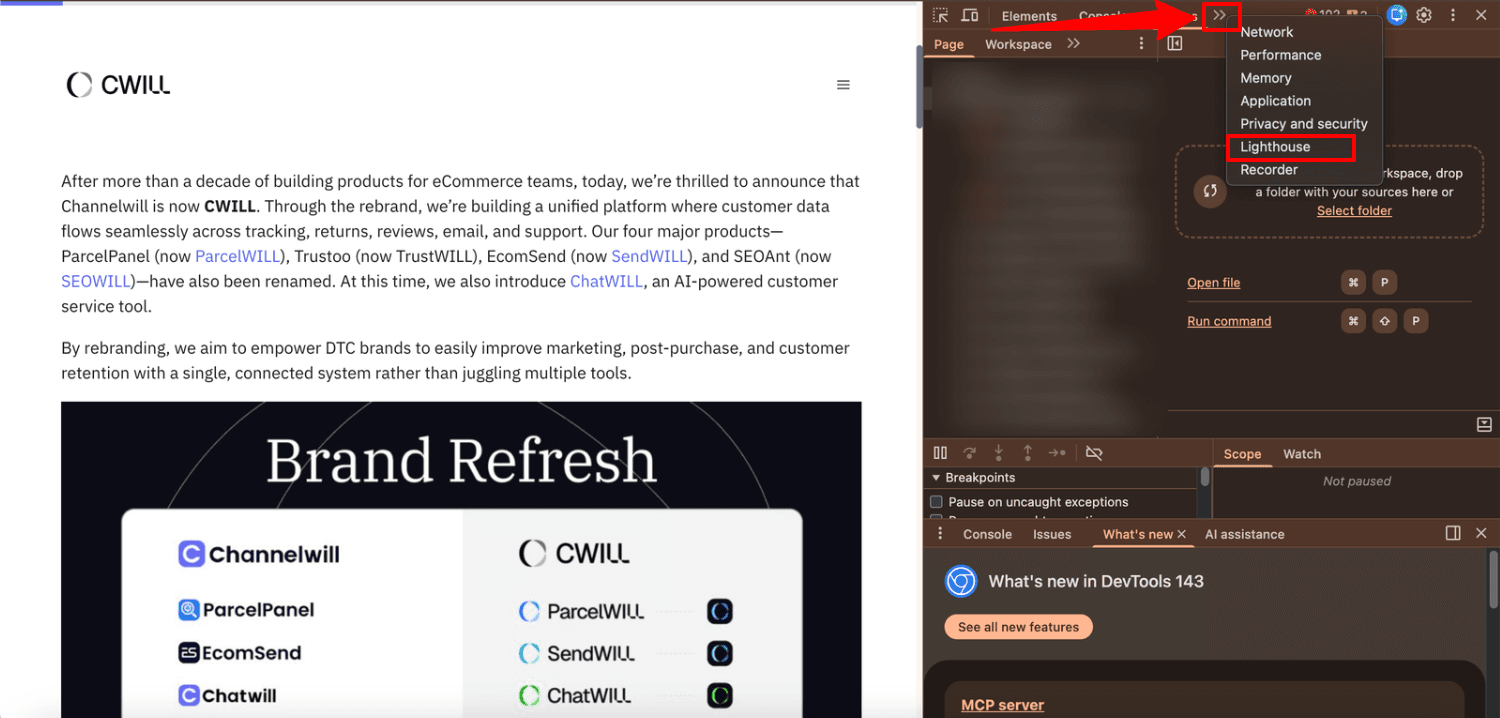
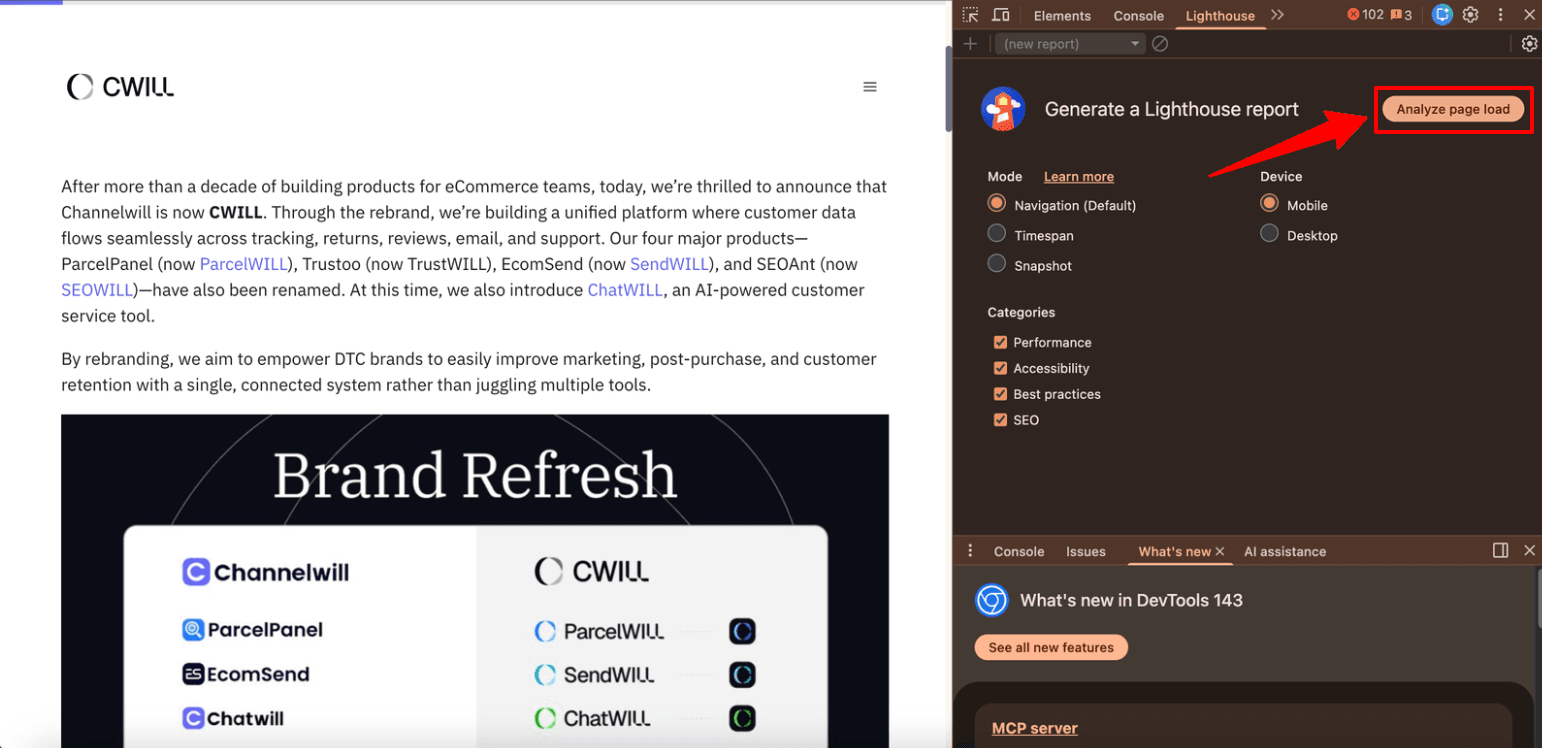
While Lighthouse provides deeper technical insights, it may be overwhelming for non-developers.

4. What Actually Slows Down Your Store
Most Shopify speed issues come from a few common sources, including:
- Large or uncompressed images
- Unoptimized CSS or JavaScript
- Too many installed apps
- Redirect chains
- Slow server response time
The biggest challenge is not finding these issues, but understanding how to fix them correctly without breaking your theme.
5. Why Use SEOWILL for Speed Optimization
SEOWILL simplifies speed optimization by turning complex performance metrics into a safe, one-click process.
You don’t need:
- Technical knowledge
- Manual code edits
- Developer support
SEOWILL handles the optimization process for you, based on Google Lighthouse performance standards.
6. One-Click Speed Optimization
To start optimizing your store speed:
- Go to Speed Optimization from the left panel
- Review the performance areas SEOWILL will optimize
- Click Speed Up Now


What Happens Next?
- SEOWILL duplicates your current theme
- All optimizations are applied to the duplicated theme
- Your live store remains completely unaffected during the process


Once confirmed, SEOWILL runs multiple optimization tasks simultaneously.
The process usually takes a few minutes.
7. Preview, Publish & Monitor Performance
After optimization:
- Preview the optimized theme to ensure everything looks and functions correctly
- Publish the optimized theme with one click
- Your original theme remains safely preserved and can be restored anytime
You can also:
- View a detailed performance report
- Compare PageSpeed scores before and after optimization
8. Speed Optimization Is Ongoing
Page speed is not a one-time task.
As your store grows:
- New content is added
- Apps are installed or removed
- Web performance standards evolve
Speed metrics can change over time, and performance continues to influence how users interact with your site - and whether they convert.
For best results, we recommend checking and optimizing your site speed regularly as part of your ongoing site health routine.
If you have any questions about speed optimization or need assistance reviewing your results, feel free to contact SEOWILL Support Team.